Editor Configurator
This section provides information on how to configure the editor to suit your needs. The editor configuration ensures that the editor behaves as expected and integrates seamlessly with your application.
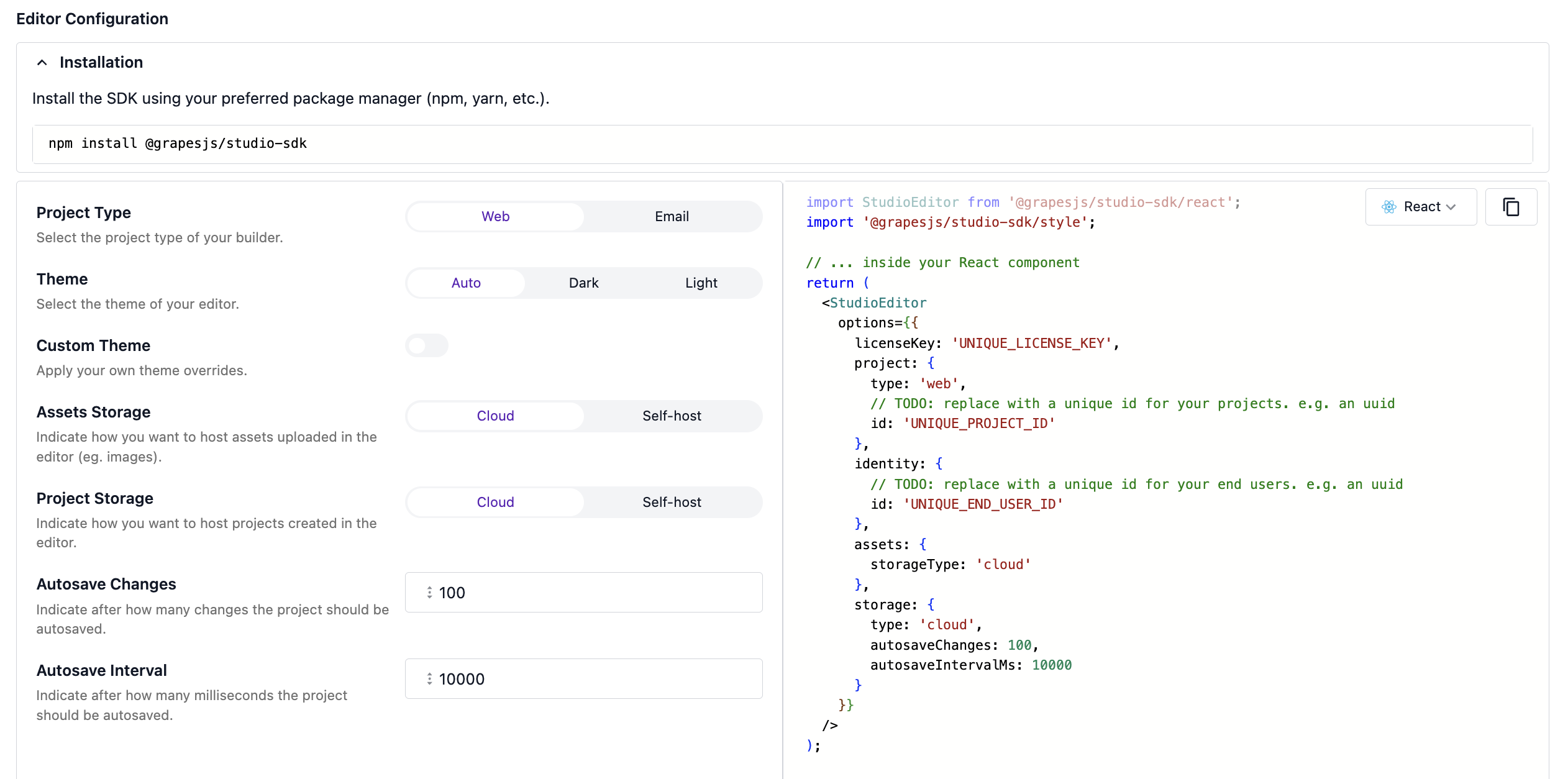
The image above illustrates the configuration options available in the editor. These options allow you to customize various aspects of the editor, such as the project type, theme, asset and project storage, and other functionality. By adjusting these settings, you can create a more efficient and personalized editing environment.
Configuration
For a comprehensive understanding of the configuration process, we highly recommend visiting the configuration overview page. This section provides in-depth guidance on how to effectively set up and customize the editor to suit your specific project requirements, ensuring optimal performance and seamless integration of the editor's features into your application.