Get started with Studio SDK
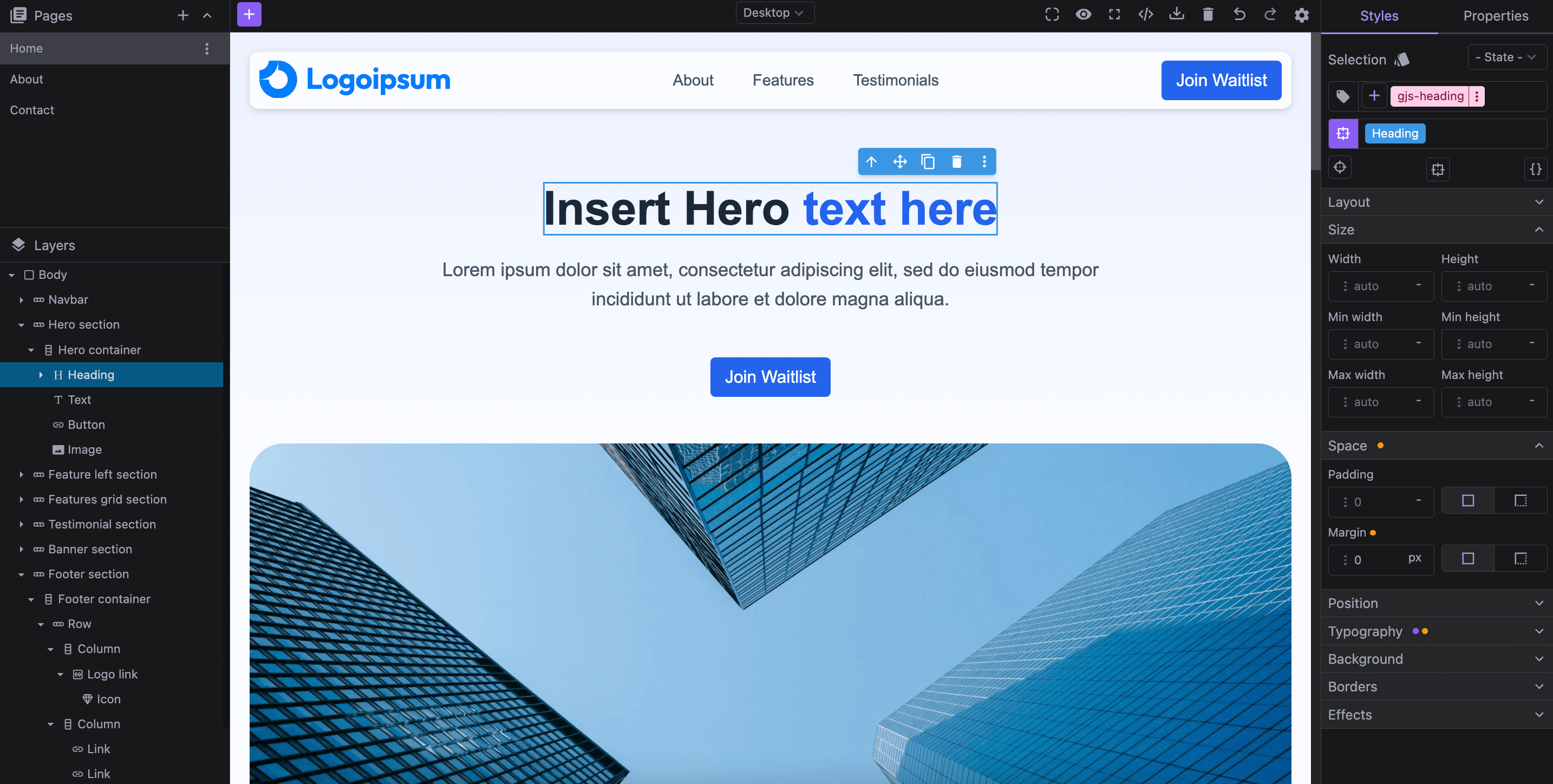
The Studio SDK is a fully embeddable, drag-and-drop, white-label version of our standalone Studio editor. It enables seamless integration of our ready-to-use visual builder into any external web application, giving your users a powerful editing experience. The SDK is highly customizable and extendable through the GrapesJS core API, making it adaptable to your specific needs.
To get a feel of the Studio SDK's capabilities, you can explore and experiment with our live Studio at https://app.grapesjs.com/studio.
Installation
Download
To install the Studio SDK in your application, run the following command in your terminal.
- npm
- pnpm
- yarn
- CDN
npm i @grapesjs/studio-sdk
pnpm add @grapesjs/studio-sdk
yarn add @grapesjs/studio-sdk
// It's recommended to replace the `latest` tag with the specific latest version to avoid any potential breaking changes.
// The loaded package is globally available via `globalThis.GrapesJsStudioSDK`.
"https://unpkg.com/@grapesjs/studio-sdk@latest/dist/index.umd.js"
// Styles can be imported from here:
"https://unpkg.com/@grapesjs/studio-sdk@latest/dist/style.css"
Setup web project
Now you can use the Studio SDK and embded the editor for any kind of web project. Check below the next steps.
- React
- JS
- 🍇 Demo
import StudioEditor from '@grapesjs/studio-sdk/react';
import '@grapesjs/studio-sdk/style';

// ...
<StudioEditor
  options={{
    // ...
    project: {
      type: 'web',
      // The default project to use for new projects
      default: {
        pages: [
          { name: 'Home', component: '<h1>Home page</h1>' },
          { name: 'About', component: '<h1>About page</h1>' },
          { name: 'Contact', component: '<h1>Contact page</h1>' },
        ]
      },
    }
  }}
/>
import createStudioEditor from '@grapesjs/studio-sdk';
import '@grapesjs/studio-sdk/style';

// ...
createStudioEditor({
  // ...
  project: {
    type: 'web',
    // The default project to use for new projects
    default: {
      pages: [
        { name: 'Home', component: '<h1>Home page</h1>' },
        { name: 'About', component: '<h1>About page</h1>' },
        { name: 'Contact', component: '<h1>Contact page</h1>' },
      ]
    },
  }
})
Setup email project
The Studio SDK also enables embedding a visual editor for newsletters powered by MJML, ensuring responsive design and compatibility with most email clients.
- React
- JS
- 🍇 Demo
import StudioEditor from '@grapesjs/studio-sdk/react';
import '@grapesjs/studio-sdk/style';

// ...
<StudioEditor
  options={{
    // ...
    project: {
      type: 'email',
      default: {
          pages: [
            {
              component: '<mjml><mj-body><mj-section><mj-column><mj-text>My email</mj-text></mj-column></mj-section></mj-body></mjml>'
            },
          ]
      },
    },
    i18n: {
      locales: {
        en: {
          actions: {
            importCode: {
              content: 'Paste here your MJML code and click Import'
            }
          }
        }
      }
    }
  }}
/>
import createStudioEditor from '@grapesjs/studio-sdk';
import '@grapesjs/studio-sdk/style';

// ...
createStudioEditor({
  // ...
  project: {
    type: 'email',
    default: {
        pages: [
          {
            component: '<mjml><mj-body><mj-section><mj-column><mj-text>My email</mj-text></mj-column></mj-section></mj-body></mjml>'
          },
        ]
    },
  },
  i18n: {
    locales: {
      en: {
        actions: {
          importCode: {
            content: 'Paste here your MJML code and click Import'
          }
        }
      }
    }
  }
})
Next Step
To ensure a seamless integration of the Studio SDK within your application, refer to the Configuration Overview. The page summarizes the available configurations, including how to properly store projects, manage user assets, and customize various aspects of the editor.
When you're ready to publish your Studio SDK integration on a public domain, make sure to set up a license by creating an SDK license.