Google Fonts
Project types | web |
Plan | Startup plan |
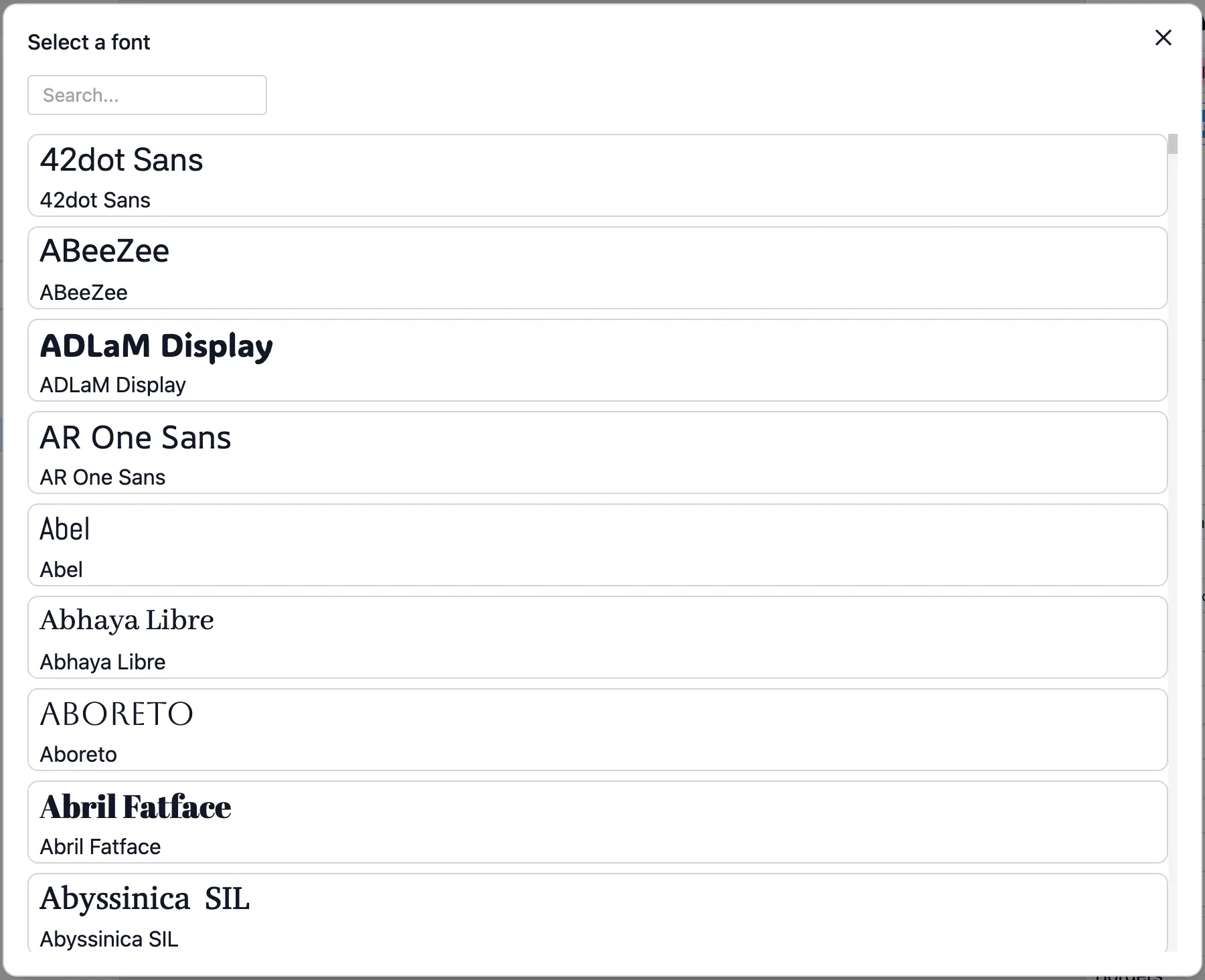
This plugin adds an asset provider for Google Fonts, allowing users to add Google Fonts to projects.
Install the Studio SDK plugins package:
- npm
- pnpm
- yarn
- CDN
npm i @grapesjs/studio-sdk-plugins
pnpm add @grapesjs/studio-sdk-plugins
yarn add @grapesjs/studio-sdk-plugins
// It's recommended to replace the `latest` tag with the specific latest version to avoid any potential breaking changes.
// The loaded plugin is globally available via `globalThis.StudioSdkPlugins_googleFontsAssetProvider`.
"https://unpkg.com/@grapesjs/studio-sdk-plugins@latest/dist/googleFontsAssetProvider/index.umd.js"
Use the plugin in the project with your Google Fonts apiKey:
You must provide your own apiKey in the plugin options when using this in your project.
Get a Web Fonts Developer API key from the Google Cloud Console.
- React
- JS
- 🍇 Demo
import StudioEditor from '@grapesjs/studio-sdk/react';
import '@grapesjs/studio-sdk/style';
import { googleFontsAssetProvider } from '@grapesjs/studio-sdk-plugins';
// ...
<StudioEditor
  options={{
    fonts: {
      enableFontManager: true,
    },
    project: {
      default: {
        pages: [{
          name: 'Home',
          component: `
            <p>Open the Typography section on the right panel. Use the "+" button in "Font" to select a google font.</p>
          `
        }]
      }
    },
    plugins: [
      googleFontsAssetProvider.init({ apiKey: 'GOOGLE_FONTS_API_KEY' }),
      editor => {
        editor.onReady(() => {
          const textCmp = editor.getWrapper().find('p')[0];
          editor.select(textCmp);
        });
      }
    ],

  }}
/>
import createStudioEditor from '@grapesjs/studio-sdk';
import '@grapesjs/studio-sdk/style';
import { googleFontsAssetProvider } from '@grapesjs/studio-sdk-plugins';
// ...
createStudioEditor({
  fonts: {
    enableFontManager: true,
  },
  project: {
    default: {
      pages: [{
        name: 'Home',
        component: `
          <p>Open the Typography section on the right panel. Use the "+" button in "Font" to select a google font.</p>
        `
      }]
    }
  },
  plugins: [
    googleFontsAssetProvider.init({ apiKey: 'GOOGLE_FONTS_API_KEY' }),
    editor => {
      editor.onReady(() => {
        const textCmp = editor.getWrapper().find('p')[0];
        editor.select(textCmp);
      });
    }
  ],

})
The demo uses a shared apiKey, which may occasionally exceed Google's rate limits.
Plugin options
| Property | Type | Description |
|---|---|---|
licenseKey | string | The license key for the plugin. This is optional, only required if the plugin is used outside of Studio SDK. Example |
apiKey | string | Google font API key. Get yours at https://console.cloud.google.com/ |
searchParams | SearchParamsProps | Override search params used for the listing. |
i18n | object |
SearchParams properties
Show properties
| Property | Type | Description |
|---|---|---|
auth | Auth client or API Key for the request | |
$.xgafv | string | V1 error format. |
access_token | string | OAuth access token. |
alt | string | Data format for response. |
callback | string | JSONP |
fields | string | Selector specifying which fields to include in a partial response. |
key | string | API key. Your API key identifies your project and provides you with API access, quota, and reports. Required unless you provide an OAuth 2.0 token. |
oauth_token | string | OAuth 2.0 token for the current user. |
prettyPrint | boolean | Returns response with indentations and line breaks. |
quotaUser | string | Available to use for quota purposes for server-side applications. Can be any arbitrary string assigned to a user, but should not exceed 40 characters. |
uploadType | string | Legacy upload protocol for media (e.g. "media", "multipart"). |
upload_protocol | string | Upload protocol for media (e.g. "raw", "multipart"). |
capability | array | Controls the font urls in |
category | string | Filters by Webfont.category, if category is found in Webfont.categories. If not set, returns all families. |
family | array | Filters by Webfont.family, using literal match. If not set, returns all families |
sort | string | Enables sorting of the list. |
subset | string | Filters by Webfont.subset, if subset is found in Webfont.subsets. If not set, returns all families. |